



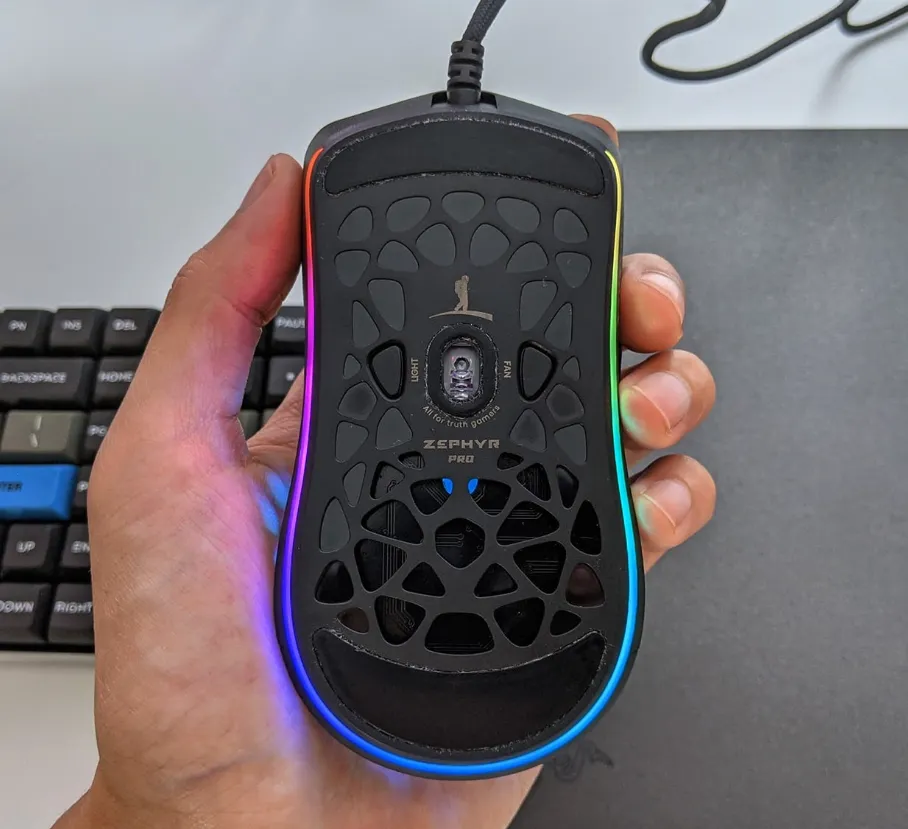
Choosing the right gaming mouse can make a noticeable difference in your overall gameplay experience. Whether you’re competing online or immersing yourself in a story-driven title, having a mouse designed for performance and comfort can give you the precision and control you need. In this blog, we’ll break down the key specs that matter most when selecting a gaming mouse and why each one deserves your attention.
Optical Sensor Performance
A strong sensor is the foundation of any reliable gaming mouse. Optical sensors use LED light to capture movement across the surface, translating even the smallest gestures into accurate on-screen responses. A well-built sensor delivers consistent tracking and low latency, both of which are essential for fast-paced gaming.
It’s also worth checking the lift-off distance—the height at which the mouse stops tracking when lifted from the surface. Lower lift-off distances usually offer smoother gameplay and reduce unintended cursor movement. Some mice also include optional angle correction, a feature that smooths out minor hand jitters, though opinions vary on whether it enhances or disrupts performance.
Understanding CPI Sensitivity
CPI, often referred to interchangeably with DPI, measures how sensitive the sensor is. Higher CPI settings allow the cursor to travel farther with minimal hand movement, which can be useful for rapid gameplay or large monitor setups. Many gaming mice provide multiple CPI presets so you can switch sensitivity levels depending on the task or game at hand.
Lighting features, including RGB color effects, are common on gaming mice as well. While they add visual flair and the ability to customize your setup, they have no impact on actual gameplay performance and can slightly reduce battery life on wireless models.
IPS and Tracking Speed
IPS indicates how quickly a mouse can track fast hand movements without losing accuracy. A higher IPS rating ensures that your cursor stays responsive, particularly during intense gameplay moments where rapid swipes are common. Pairing a high IPS with an appropriate CPI setting helps maintain precise control whether you’re lining up distant shots or navigating a fast-paced environment.
A strong sensor should also operate with a high polling rate, often around 1000Hz, to ensure the mouse reports movements to your computer with minimal delay. This keeps the cursor smooth and reduces issues like jitter, which can occur when lower-quality sensors struggle to keep up.
Weight and Handling
Weight plays a surprisingly important role in how a mouse feels during use. Players who enjoy shooters often prefer lighter models for quick flicks and fast reactions, while those who favor strategy, MMO, or MOBA games sometimes lean toward slightly heavier options for greater stability.
Some gaming mice include adjustable weight systems, allowing you to fine-tune the feel of the device by adding or removing small inserts. This customization can help you find the perfect balance for your preferred grip style and gaming habits.
Design and Comfort
A gaming mouse should not only perform well but also feel natural in your hand. Different designs cater to various grip styles, such as palm, claw, or fingertip grips. Comfort becomes especially important during long sessions, so consider the shape, materials, and overall ergonomics when choosing a model.
High-quality gaming mice typically include multiple programmable buttons that you can customize through software. This software also allows you to tweak sensitivity, lighting effects, macros, and game-specific profiles. While each brand’s interface varies, most offer straightforward controls designed to simplify adjustments.
A well-rounded gaming mouse brings together accuracy, comfort, and customization. By understanding the key specifications—from sensors and tracking speed to weight and ergonomics—you’ll be better equipped to choose a mouse that enhances your gaming experience and fits seamlessly into your setup.
