



Fiber optic internet has transformed the way we connect, offering exceptional speed, low latency, and dependable performance. Unlike traditional broadband, fiber delivers data using pulses of light through thin glass strands, enabling lightning-fast communication. To take full advantage of a fiber connection, you’ll need a set of components designed specifically for this type of network. Below is an overview of the key equipment that brings fiber optic internet into your home or workplace.
Fiber Optic Modem (ONT)
At the heart of every fiber installation is the Optical Network Terminal, or ONT. This device acts as the gateway between the incoming fiber line and your internal network. It converts the optical signal from your provider into electrical signals that your router and connected devices can use. ONTs are usually mounted near the point where the fiber enters the building and often include Ethernet ports to accommodate multiple devices.
Fiber Optic Cables
These cables carry light-based data signals with remarkable efficiency and minimal interference. The two common types you’ll encounter are:
- Single-mode fiber, ideal for long distances and higher bandwidth
- Multimode fiber, suited for shorter runs in residential or small office environments
Make sure the connectors—such as LC or SC—match the equipment you plan to use.
Router Designed for High-Speed Fiber
Once the ONT converts your fiber signal, a capable router distributes that connection throughout your space. Not every router is built to handle gigabit-level speeds, so choose a model that supports fast wireless standards like Wi-Fi 6 or 6E and includes gigabit or multi-gigabit Ethernet ports. Placing the router in a central location helps ensure strong coverage.
Network Switch (Optional)
If you need additional wired connections—for example, in offices or entertainment setups—a network switch expands the number of ports available. You can choose between unmanaged switches, which offer simple plug-and-play functionality, or managed switches that provide features such as VLANs and traffic prioritization.
Patch Cables
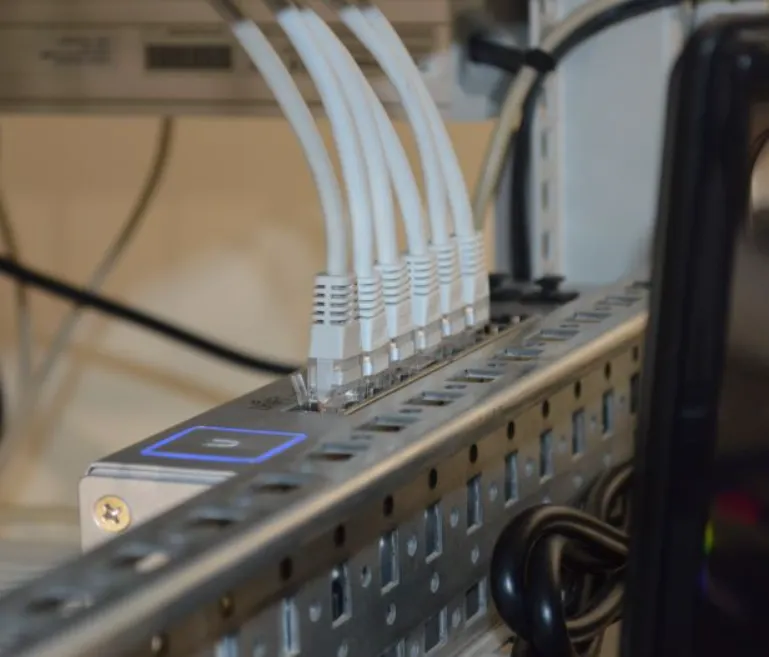
These short Ethernet cables link your ONT to your router and connect other nearby devices. For best performance, choose Cat6, Cat6a, or Cat7 cables. Selecting the proper length helps keep your installation tidy and reduces unnecessary strain on connectors.
Wi-Fi Extenders or Mesh Systems
Larger spaces sometimes require help extending wireless coverage. A Wi-Fi extender boosts the existing signal, while a mesh system uses multiple access points to create uniform coverage throughout the building. Mesh systems are often the preferred choice for homes with multiple floors or complex layouts.
Backup Power Supply
Fiber equipment relies on electricity, so a sudden outage can interrupt service. A small uninterruptible power supply (UPS) keeps your ONT, router, and essential devices powered during short interruptions, ensuring your connection stays active when you need it most.
Fiber Splitters (When Needed)
In homes with multiple fiber-fed devices or buildings with shared access, fiber splitters divide a single fiber signal into multiple lines. These are commonly used in multi-unit residences or business environments without significantly degrading performance.
Fiber Optic Tools and Accessories
For installation and maintenance, certain tools can be helpful:
- A fiber tester for confirming signal quality
- Cleaning supplies to keep connectors dust-free
- Cable organizers to maintain neat routing and avoid damage
Devices with Modern Network Support
To fully benefit from fiber speeds, your devices should support gigabit Ethernet or modern Wi-Fi standards. Many newer computers, gaming consoles, and smart TVs already meet these requirements, but older hardware may become a bottleneck.
ISP-Provided or Required Equipment
Some service providers supply their own ONT, router, or software tools. Be sure to understand what equipment is included in your plan and whether you’re allowed to replace or supplement it with your own gear.
Installation Tips
Professional installation is often available and ensures everything is set up correctly. If self-installation is permitted, follow your provider’s instructions closely and double-check all connections. Running a speed test afterward helps confirm you’re receiving the expected performance.
Maintenance and Best Practices
Keep your router’s firmware updated for better stability and security. Handle fiber cables carefully and avoid bending them tightly. Monitoring your network through apps or built-in tools can help you quickly spot and resolve issues.
Preparing for the Future
Fiber technology evolves quickly, so choosing equipment with multi-gigabit support and modular components can help keep your setup current for years to come.
Conclusion
A fiber optic internet setup requires several specialized components—from the ONT and router to the cables, extenders, and switches that support your network. Understanding how each piece contributes to your connection ensures you get the most from your fiber service. With the right equipment in place and proper maintenance, you can enjoy fast, dependable internet across all your devices.
