



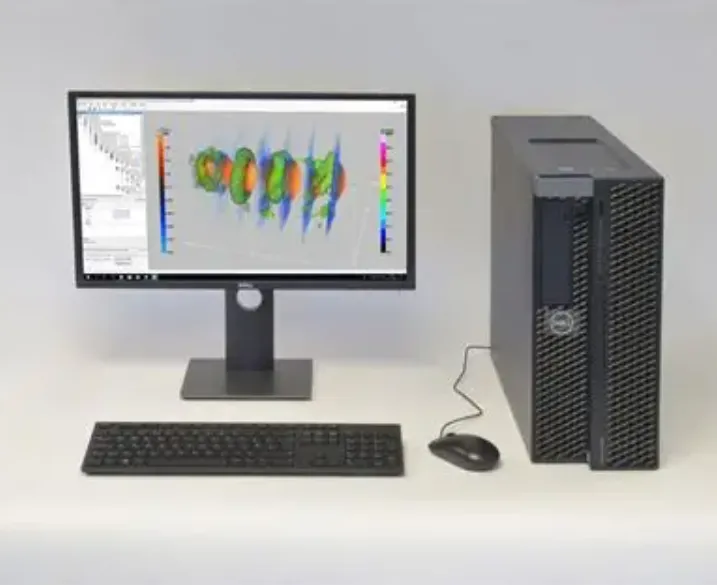
When it comes to selecting a high-performance computer, many people wonder whether to go for a gaming PC or a workstation PC. While both types of systems are built for power, they serve different purposes and are optimized for specific tasks. In this guide, we’ll explore the key differences between gaming and workstation PCs to help you decide which one suits your needs best.
What is a Gaming PC?
Gaming PCs are designed to deliver outstanding performance in video games. They prioritize graphics and speed to provide an immersive gaming experience. Here’s what sets them apart:
High-Performance Graphics: Gaming PCs typically feature powerful graphics cards like NVIDIA’s RTX series or AMD’s Radeon RX line. These GPUs are essential for achieving high frame rates and stunning visual effects in modern games.
High-Refresh Rate Monitors: To complement their GPUs, gaming PCs often pair with monitors capable of refresh rates of 144Hz or 240Hz, ensuring smooth, fluid gameplay.
Overclocking Support: Many gaming PCs allow for overclocking of the CPU and GPU to push performance limits, which is important for gamers who demand the highest frame rates.
For gamers looking for an unparalleled experience, custom-built gaming PCs offer unmatched flexibility. You can select the ideal GPU, CPU, and other components to create a machine that meets your exact needs.
What is a Workstation PC?
Workstation PCs are built for professional workloads that require intense computational power. These systems are designed to handle tasks like 3D rendering, video editing, and complex data processing. Key characteristics include:
High-Performance GPUs: Workstations typically use GPUs like NVIDIA’s Quadro or AMD’s Radeon Pro, which are optimized for computational tasks rather than gaming. These GPUs support professional-grade software like AutoCAD and Adobe Premiere Pro.
Multi-Core CPUs: Unlike gaming PCs that focus on fast single-core performance, workstation PCs use multi-core processors like AMD’s Threadripper or Intel’s Xeon. These CPUs are designed to handle heavy multitasking and simultaneous workloads.
Large Amounts of RAM: Workstations often require 64GB or more of RAM to handle demanding applications and large datasets efficiently. They also combine SSDs and HDDs for fast access to files and large storage needs.
Key Differences Between Gaming PCs and Workstation PCs
Graphics Card:
- Gaming PCs: Use graphics cards optimized for gaming performance (e.g., NVIDIA GeForce, AMD Radeon).
- Workstations: Feature professional-grade GPUs (e.g., NVIDIA Quadro, AMD Radeon Pro) designed for tasks like 3D modeling, video editing, and scientific computing.
CPU Power:
- Gaming PCs: Typically use CPUs like Intel’s Core i5/i7/i9 or AMD Ryzen 5/7/9, which focus on high-speed gaming performance.
- Workstations: Use multi-core CPUs like AMD’s Threadripper or Intel Xeon, which are designed for handling resource-intensive professional applications.
RAM and Storage:
- Gaming PCs: Usually have 16GB to 32GB of RAM and fast SSDs for quick game load times.
- Workstations: Often have 64GB or more of RAM and a combination of SSDs and HDDs to handle massive files and projects.
When Should You Choose a Gaming PC?
A gaming PC is the right choice if:
- Your primary use is gaming.
- You need high frame rates and visually rich graphics.
- You want to explore virtual reality (VR) or competitive eSports.
Custom-built gaming PCs are an excellent option for those who want top-tier performance without the hassle of configuring everything themselves.
When Should You Choose a Workstation PC?
A workstation PC is ideal if:
- You’re a professional in fields like video editing, 3D rendering, or machine learning.
- You need a computer optimized for multitasking and handling large datasets.
- You work with specialized software that demands high reliability and performance.
A custom workstation build will provide you with the power and reliability needed for demanding professional tasks.
Can a Gaming PC Be Used as a Workstation?
While a gaming PC can handle some workstation tasks, it has limitations. Gaming PCs have powerful GPUs and fast processors, but they lack the specialized features and certifications that workstation PCs offer. For instance:
- Gaming GPUs may struggle with professional software like CAD applications.
- Gaming PCs often don’t include ECC (Error-Correcting Code) RAM, which is essential for maintaining data integrity in professional settings.
If you need a hybrid setup that handles both gaming and professional tasks, it’s best to work with an expert to create a balanced system tailored to your needs.
Final Thoughts
When choosing between a gaming PC and a workstation PC, consider your primary usage. Gaming PCs are perfect for enthusiasts looking for high-speed, visually stunning gaming experiences, while workstation PCs excel at handling intensive professional tasks with precision and reliability. Each type has its advantages, and the right choice depends on how you plan to use your machine.
