



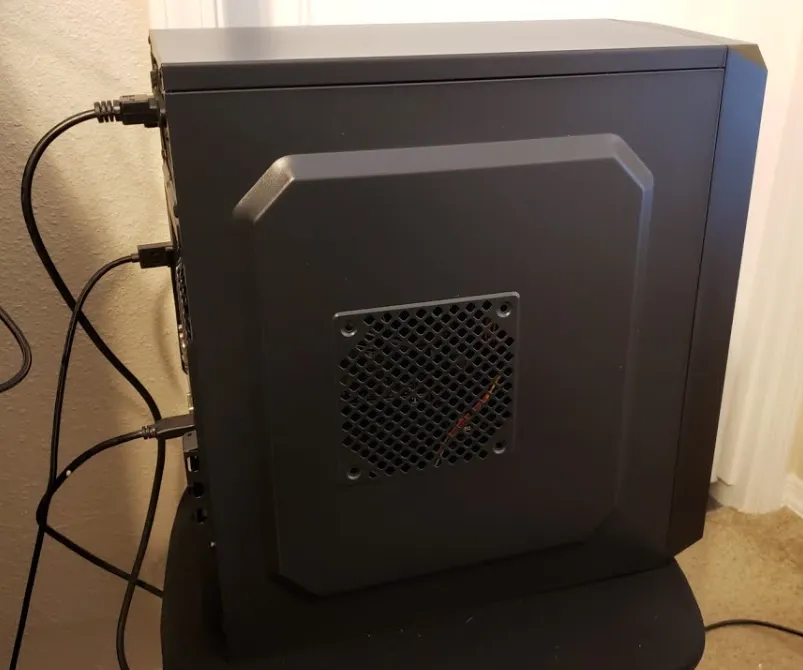
Building or buying a gaming PC can be a rewarding but expensive experience. The right setup can elevate your gameplay, but with so many options available, the price can vary greatly depending on the components you choose. Understanding the costs involved and setting a realistic budget is key to ensuring you get the best value for your money. This guide will break down the pricing for different gaming PC setups, helping you plan your dream build without breaking the bank.
How Much Should a Gaming PC Cost?
Knowing the typical price ranges for gaming PCs is essential for making an informed decision. Depending on your budget and performance expectations, gaming PCs can range from affordable entry-level models to high-end powerhouses. Let’s explore what you can expect at each price point.
Gaming PC Price Ranges:
- Entry-Level Gaming PCs ($500 – $800)
These PCs are great for beginners or casual gamers who don’t need cutting-edge performance. They typically come with a budget CPU, a mid-range GPU, and 8GB of RAM, offering smooth gameplay at medium settings on less demanding titles. - Mid-Range Gaming PCs ($800 – $1,500)
Mid-range systems provide a balanced combination of performance and value. These PCs often feature more powerful CPUs, better GPUs, and 16GB of RAM, allowing you to play most modern games on high settings with ease. - High-End Gaming PCs ($1,500 and above)
For gamers seeking top-tier performance, high-end PCs come equipped with premium CPUs, GPUs, advanced cooling systems, and flashy extras like RGB lighting. These rigs are designed for ultra settings and to future-proof your gaming setup for years.
What’s Included in Each Price Range:
- Entry-Level Example:
- CPU: Intel Core i3 or AMD Ryzen 3
- GPU: NVIDIA GTX 1650 or AMD Radeon RX 570
- RAM: 8GB DDR4
- Storage: 512GB SSD
- Mid-Range Example:
- CPU: Intel Core i5 or AMD Ryzen 5
- GPU: NVIDIA RTX 3060 or AMD RX 6600 XT
- RAM: 16GB DDR4
- Storage: 1TB SSD
- High-End Example:
- CPU: Intel Core i7/i9 or AMD Ryzen 7/9
- GPU: NVIDIA RTX 3080/3090 or AMD RX 6900 XT
- RAM: 32GB DDR4/DDR5
- Storage: 1TB NVMe SSD + 2TB HDD
By understanding these ranges, you’ll know what to expect for each budget level, ensuring you can make an informed decision based on your gaming needs.
What’s Considered a Decent Gaming PC?
A “decent” gaming PC typically sits in the $800 to $1,200 range. This setup offers solid performance for most modern games at 1080p resolution, and some can handle 1440p without issue. This price point is ideal for gamers who want a great gaming experience but don’t need the latest, most expensive hardware.
Key Components for a Decent Gaming PC:
- CPU: AMD Ryzen 5 5600X or Intel Core i5-12400F
- GPU: NVIDIA GeForce RTX 3060 or AMD Radeon RX 6600
- RAM: 16GB DDR4
- Storage: 500GB to 1TB SSD
This range provides a balanced setup that’s capable of handling most modern titles at medium to high settings, offering a solid gaming experience without overspending.
How Much Does a Typical Gamer’s PC Cost?
For many gamers, the typical PC falls in the $1,200 to $2,000 range. This budget allows for customization and upgrades, which can enhance performance or personalize the setup. A typical gamer’s PC often includes custom components such as better CPUs, GPUs, or additional storage.
Customization and Upgrades:
- RGB Lighting: Adds visual appeal but can increase the overall cost by $50 to $200.
- Advanced Cooling: Options like liquid cooling can add between $100 and $300 for better thermal management.
- Peripherals: Key gaming accessories like mechanical keyboards, mice, and monitors can significantly raise your total budget, with high-end options costing anywhere from $100 to $500 each.
Pre-built vs. Custom-built PCs:
- Pre-built PCs: These are assembled and tested for you but can cost 10-20% more than custom builds due to convenience and labor costs.
- Custom-built PCs: Building your own PC allows you to select the parts that fit your budget and needs, potentially saving money but requiring more time and effort.
Is a $1,000 Gaming PC Worth It?
A $1,000 gaming PC offers solid performance, making it a great option for many gamers. It’s especially good for those who want to game at 1080p with high settings without splurging on top-tier components.
Pros of a $1,000 Gaming PC:
- Decent Performance: This budget offers good performance for most modern games at 1080p, ensuring smooth gameplay.
- Value for Money: A $1,000 system lets you invest in quality components without going overboard, with room for upgrades down the line.
- Upgradeable: You can start with a solid base and upgrade individual components (like the GPU or RAM) as needed.
Cons of a $1,000 Gaming PC:
- Limited Future-Proofing: While great for current games, it may struggle with future titles that demand more power.
- Compromises on Components: To stay within budget, you might need to choose a less powerful GPU or a smaller SSD, which could impact gaming performance on more demanding games or higher resolutions.
- Not Ideal for 4K Gaming: A $1,000 PC won’t provide optimal performance for 4K gaming or ultra settings in the latest AAA games.
Typical $1,000 Gaming PC Build:
- CPU: AMD Ryzen 5 5600X or Intel Core i5-12400
- GPU: Nvidia GTX 1660 Super or RTX 3060
- RAM: 16GB DDR4
- Storage: 500GB – 1TB NVMe SSD
- Motherboard: B550 or B660 chipset
- Power Supply: 500W-650W, 80+ Bronze certified
- Case: Mid-tower with decent airflow
This setup will handle 1080p gaming at high settings with smooth performance, making it a great starting point for most gamers.
Budgeting and Building Your Dream Gaming PC
Building your dream gaming PC is an exciting process, but it requires smart planning. Here are a few tips to ensure you maximize your investment:
Prioritize Components:
- GPU: Invest the most in your graphics card, as it has the biggest impact on gaming performance.
- CPU: While important, a mid-range processor is sufficient for most gaming needs.
- RAM: 16GB of RAM is ideal for gaming and multitasking. You can start with 8GB and upgrade later if necessary.
- Storage: Start with a 500GB to 1TB SSD for quick load times, and consider adding more storage as needed.
Plan Your Budget:
- Set a Realistic Budget: Know what you’re willing to spend and stick to it. High-end components can push your budget up quickly, so balance performance with cost.
- Plan for Upgrades: Build a solid base that allows for future upgrades, so you can enhance performance over time.
- Factor in Peripherals: Don’t forget to include the cost of peripherals like a monitor, keyboard, and mouse in your total budget.
Saving Money on Your Gaming PC:
- Buy Used or Refurbished Parts: Look for reputable sellers offering used or refurbished components to save on expensive parts.
- Look for Sales and Discounts: Keep an eye out for deals during major sales events like Black Friday or Cyber Monday.
- Upgrade Gradually: Start with essential components and upgrade as your budget allows, avoiding the need for a large upfront investment.
Conclusion:
Choosing the right gaming PC involves balancing performance with budget. Whether you’re looking for an entry-level rig or a high-end powerhouse, understanding the costs of various components is key to building a PC that fits your needs. By planning carefully and prioritizing your investment, you can create a gaming setup that delivers an incredible experience without going over budget.
