



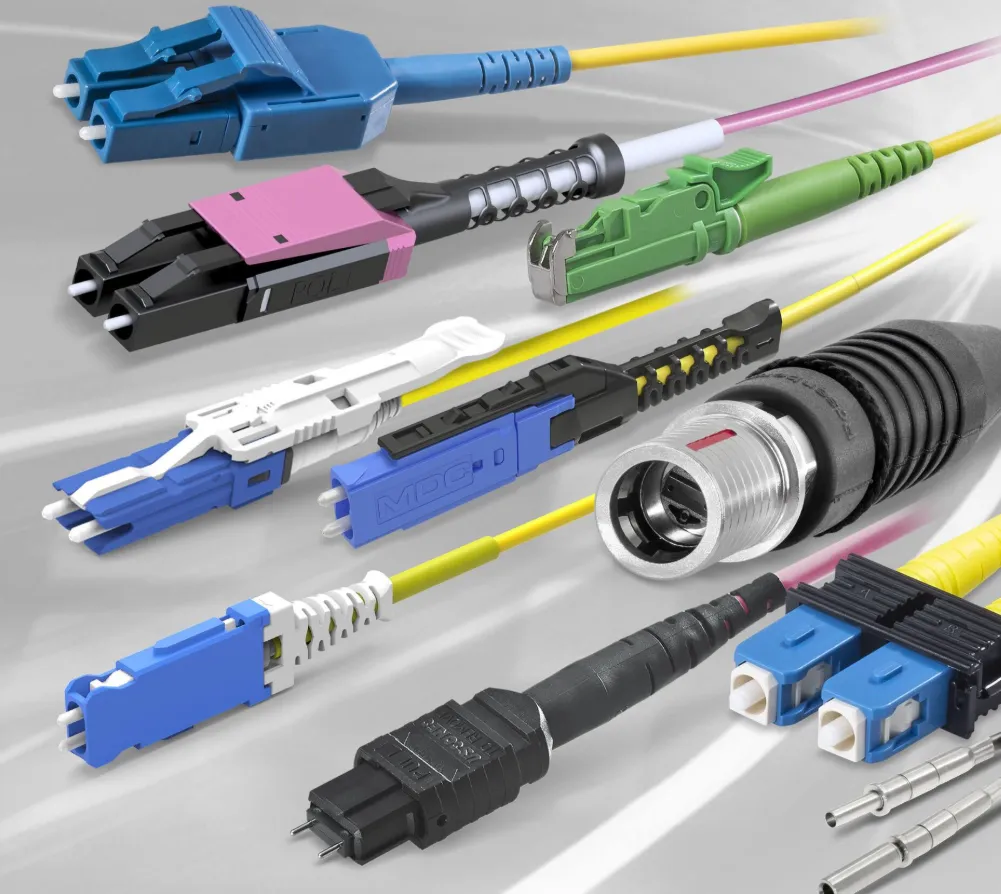
Fiber optic networks depend on clean, well-maintained connectors to deliver the high speeds and reliability they’re known for. Because these systems transmit data using light, even tiny particles of dust, oil, or debris can interfere with performance. A single contaminant on a connector end face can cause signal loss, reduce efficiency, or even take an entire link offline. Keeping connectors clean isn’t just recommended—it’s essential for maintaining a healthy fiber network.
This guide outlines why connector cleaning matters, what tools you need, step-by-step cleaning methods, common mistakes to avoid, and best practices to help keep your fiber system functioning at its best.
Why Clean Fiber Optic Connectors?
Fiber connectors are precision components designed to align light signals accurately. Any contamination, even microscopic, can disrupt that alignment. Clean connectors help ensure:
Reliable Signal Quality
Dust and oil scatter or block light, lowering transmission quality and increasing error rates.
Protection Against Damage
Particles can scratch the polished connector surface, causing permanent defects.
Reduced Downtime
A dirty connector can bring a link down, leading to costly troubleshooting and repairs.
Longer Equipment Life
Regular cleaning minimizes wear and helps maintain peak performance over time.
Given their sensitivity, regular inspection and cleaning are essential parts of fiber network maintenance.
Tools You’ll Need
Cleaning fiber connectors requires tools made specifically for optical equipment. Using the right materials prevents damage and ensures a thorough clean.
Inspection Tools
- Fiber inspection microscope: Lets you examine the connector end face at high magnification.
- Inspection probe: Useful for checking connectors in bulkheads or adapters.
Cleaning Tools
- Lint-free wipes: Leave no fibers or residue.
- Isopropyl alcohol (90%+): Dissolves oils and stubborn contaminants.
- Pre-moistened wipes: Convenient for quick cleaning.
- Cassette or reel-based cleaners: Provide consistent dry cleaning.
- Cleaning pens: Designed for bulkhead connectors.
- Compressed air: For removing loose dust.
- Cleaning swabs: Ideal for recessed connectors and ferrules.
Step-by-Step Connector Cleaning
- Inspect First
Always begin by inspecting the connector. If the end face is clean, you can avoid unnecessary cleaning. Look for dust, smudges, scratches, and other contaminants. - Start with Dry Cleaning
Dry cleaning is the preferred first step since it avoids introducing liquid residue.
- Use a lint-free wipe or a reel-based cleaner.
- Press the connector lightly against the cleaning surface.
- Wipe in one direction only—never back and forth.
- Move to Wet Cleaning if Needed
If dry cleaning doesn’t fully remove contamination:
- Apply a small amount of alcohol to a lint-free wipe.
- Clean the end face in a single motion.
- Follow immediately with a dry wipe to remove any leftover alcohol.
- Reinspect to confirm cleanliness.
- Cleaning Recessed or Bulkhead Connectors
For connectors you can’t access directly:
- Insert a cleaning pen or swab into the adapter.
- Rotate or activate it as recommended by the tool manufacturer.
- Inspect again to confirm the ferrule is clean.
- Final Inspection
After cleaning, recheck the connector with your inspection tool. If you still see contaminants, repeat the appropriate cleaning method.
Common Mistakes to Avoid
Fiber connectors are delicate, and improper cleaning can cause more harm than good. Avoid:
Using household cleaning items such as cotton swabs or tissues, which leave fibers behind.
Oversaturating cleaning wipes with alcohol.
Touching the connector end face with your fingers.
Skipping inspection, which may lead to over-cleaning or missed contaminants.
Reusing wipes or cleaning surfaces, which spreads dirt instead of removing it.
Tips for Ongoing Maintenance
- Inspect connectors periodically, even if they appear clean.
- Always replace dust caps when connectors are not in use.
- Store fiber cables properly to prevent contamination.
- Train technicians on proper fiber handling and cleaning techniques.
- Use quality cleaning equipment to reduce the risk of damage.
Advanced Cleaning Solutions
As fiber networks scale, newer tools help simplify maintenance:
Automated cleaning systems that combine inspection and cleaning in one device.
Real-time monitoring tools that provide instant views of connector conditions.
Knowing when to replace a connector is just as important as knowing how to clean it. Persistent contamination, visible scratches, or inconsistent performance after cleaning often indicate that a connector has reached the end of its useful life.
Conclusion
Clean fiber optic connectors are essential for maintaining a high-performance network. With the right tools, careful handling, and consistent inspection, you can prevent unnecessary signal loss and extend the life of your system. A proper cleaning routine ensures reliability, reduces downtime, and keeps your fiber infrastructure operating at its full potential.
