



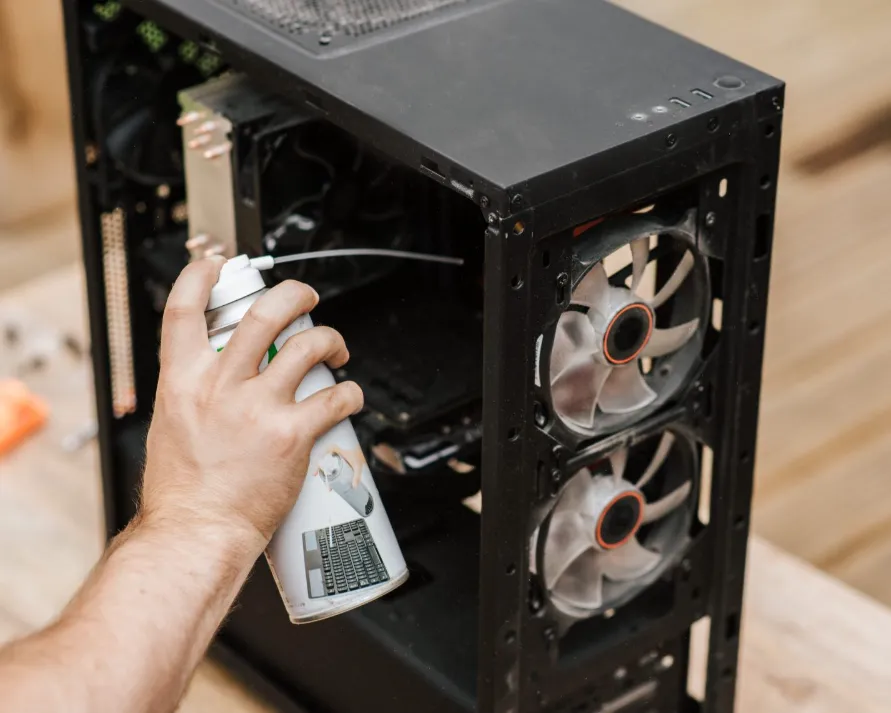
Whether you’re a gamer, content creator, or professional, your PC is a vital investment. Like any investment, it requires proper care to ensure it remains in top condition. One of the most overlooked aspects of maintaining your PC is regular cleaning. Dust buildup, clogged fans, and dirty components can lead to overheating, hardware failure, and overall decreased performance. In this guide, we’ll explore why cleaning your PC is important, how often you should clean it, and the best practices to keep your machine running smoothly.
Why Cleaning Your PC Matters
1. Prevents Overheating
Heat is one of the biggest threats to your PC’s performance. Over time, dust and debris can block airflow and clog your cooling system. When this happens, components like your CPU and GPU work harder to keep temperatures in check, which can lead to overheating. Overheating can cause thermal throttling, slowing down your PC, or in the worst case, permanent damage to critical parts.
Solution: Regular cleaning of your PC’s fans, vents, and heat sinks ensures that air can flow freely, keeping temperatures under control and maintaining high performance.
2. Extends the Lifespan of Your Hardware
All PC components have a finite lifespan, but neglecting maintenance can shorten that lifespan. Dust accumulation can prevent fans from working properly, block cooling fins, and even cause static buildup that could damage sensitive circuits.
By keeping your PC clean, you reduce the strain on components and extend the life of essential parts like the CPU, GPU, RAM, and power supply.
Pro Tip: If you’re considering a system upgrade or need replacement parts, companies like Flying Phoenix PCs offer high-quality custom builds and components designed to last longer and perform at their best.
3. Enhances Performance and Efficiency
A dusty PC doesn’t just look untidy—it also performs poorly. Dust-covered components run hotter, and excess heat forces your system to reduce its clock speeds to avoid damage. This results in slower frame rates in games, longer rendering times for creators, and sluggish performance for everyday tasks.
Cleaning your PC can result in:
- Faster processing speeds
- More stable frame rates in gaming
- Quicker load times and smoother multitasking
4. Reduces Noise Levels
If your PC fans have become noticeably louder over time, it could be due to dust buildup. When dust collects inside the system, the fans have to work harder to keep temperatures down, leading to increased noise.
A clean PC runs quieter because the fans operate more efficiently without any blockages. If your PC continues to make excessive noise even after cleaning, it might be time for an upgrade or a custom cooling solution, such as those offered by Flying Phoenix PCs.
5. Prevents Software Issues and System Crashes
Dust can contribute to software problems by causing overheating, which leads to system instability, crashes, and even the dreaded blue screen errors (BSOD). In severe cases, dust buildup can interfere with the connections between components, causing erratic system behavior.
If you’re experiencing random shutdowns, slow performance, or errors, start by cleaning your PC before assuming there’s a hardware failure.
How Often Should You Clean Your PC?
The frequency of cleaning depends on your environment and usage:
- Every 1-2 months: Light dusting of external vents and peripherals.
- Every 3-6 months: Internal cleaning of fans, CPU cooler, and GPU.
- Twice a year: A deep clean of the entire system.
If you live in a dusty area or have pets, you may want to clean your PC more frequently.
Pro Tips to Keep Your PC Clean Longer
- Use Air Filters: Install dust filters on intake vents if your case supports them.
- Elevate Your PC: Keep your PC off the floor to reduce dust intake.
- Maintain a Clean Workspace: Regularly dust and vacuum around your desk to reduce dust buildup.
- Cable Management: Organizing your cables not only improves airflow but also prevents dust from accumulating in hard-to-reach places.
Need Professional Help? We’ve Got You Covered
Not everyone has the time or confidence to thoroughly clean their PC. That’s where Flying Phoenix PCs comes in. We offer professional maintenance and cleaning services to keep your system running smoothly. Whether you need a deep clean, thermal paste replacement, or a full system check-up, our experts are here to help. Visit our services page to learn more!
Final Thoughts
Cleaning your PC regularly is a simple but essential task for maintaining its performance, lifespan, and efficiency. By preventing overheating, reducing noise, and extending the life of your hardware, you can ensure that your system continues to run at its best for years to come.
