



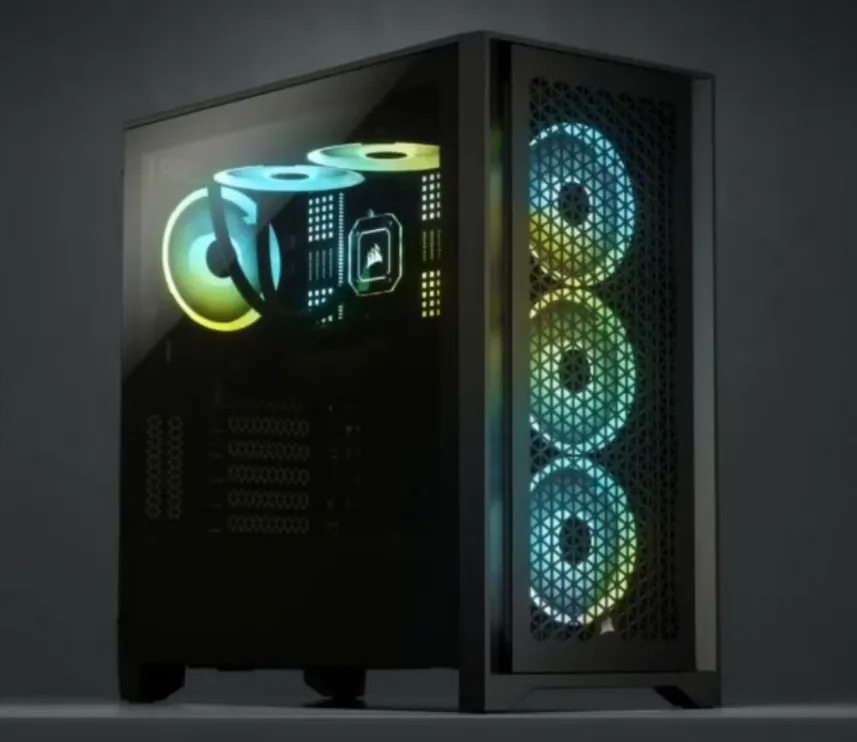
Building a gaming PC that delivers top-tier performance requires careful selection of the right components. Whether you’re looking to boost your gameplay, enjoy faster load times, or enhance your gaming visuals, the right parts can make a huge difference. A high-performance PC doesn’t come together randomly; each component must work together to provide the best experience possible. In this guide, we’ll cover the top 10 essential components you need for the ultimate gaming setup.
1. CPU: The Core of Your Gaming PC
The CPU (Central Processing Unit) plays a crucial role in running your games and applications smoothly. A powerful CPU ensures that your system can handle demanding games without lag.
Top CPUs for 2024 Gaming Builds
- Intel Core i9-13900K: Perfect for gamers who want top performance, especially for multitasking and running high-end games.
- AMD Ryzen 9 7950X: A great choice for gaming and streaming, offering excellent power efficiency and performance.
How to Choose the Right CPU
When selecting your CPU, consider:
- Performance vs. Budget: High-end CPUs like the i9 and Ryzen 9 offer exceptional power but can be expensive. For budget options, Intel Core i5 or AMD Ryzen 5 are solid alternatives.
- Future-Proofing: Look for CPUs with more cores and threads to handle future gaming demands.
- Multitasking Needs: If you plan to game and stream, opt for CPUs with strong multi-threading.
2. GPU: Elevating Your Graphics
Your GPU (Graphics Processing Unit) is the key to stunning visuals and smooth gameplay. A high-performance GPU ensures that your games run smoothly at high settings, providing immersive graphics.
Top GPUs for 2024
- NVIDIA GeForce RTX 4090: Ideal for 4K gaming and VR, delivering exceptional performance with ray tracing and AI-enhanced visuals.
- AMD Radeon RX 7900 XTX: A budget-friendly alternative that still offers great 4K performance.
How to Choose the Best GPU
Consider the following:
- Resolution and Frame Rate: For 1080p gaming, mid-range GPUs like the NVIDIA RTX 3060 or AMD RX 6700 XT are great. For 1440p or 4K gaming, look into the RTX 4080 or RX 7900 XT.
- Ray Tracing: For realistic lighting and effects, NVIDIA RTX GPUs are ideal, though AMD is catching up.
- VR Compatibility: High-end GPUs like the RTX 4090 or RX 7900 XTX ensure smooth VR gameplay.
3. Motherboard: Ensuring Smooth Compatibility
The motherboard connects all your components and determines the overall performance and compatibility of your gaming PC. Choosing the right motherboard ensures that your parts work well together.
What to Look for in a Gaming Motherboard
- Compatibility: Make sure it supports your CPU (Intel or AMD) and has PCIe 4.0 or 5.0 slots for your GPU.
- Expansion Slots: Consider how many PCIe slots are available for future upgrades.
- RAM Capacity: Opt for a motherboard that supports at least 16GB of RAM with the potential to upgrade.
- Connectivity: Choose one with enough USB ports, Ethernet, and Wi-Fi 6 support for better performance.
4. RAM: Smooth Performance for Multitasking
RAM (Random Access Memory) is essential for keeping your PC running smoothly during multitasking. More RAM means faster load times and better performance when gaming and running multiple programs.
How Much RAM Do You Need?
- 16GB: Ideal for most modern games and multitasking without lag.
- 32GB: Perfect for future-proofing and handling tasks like video editing along with gaming.
- 8GB: The minimum for gaming but may not be sufficient for AAA titles.
5. SSD: Speeding Up Your Storage
SSDs (Solid-State Drives) are crucial for reducing load times and improving system responsiveness. They offer much faster data access compared to traditional hard drives.
SSD vs. HDD
- Speed: SSDs provide near-instant access to files, while HDDs are slower.
- Durability: SSDs have no moving parts, making them more durable.
- Load Times: SSDs dramatically cut load times, ensuring smoother gaming.
Top SSDs for Gaming
- Samsung 980 Pro (1TB): Ultra-fast speeds for high-end gaming.
- Western Digital Black SN850 (1TB): Ideal for 4K gaming with fast read speeds.
6. PSU: Reliable Power Supply
The PSU (Power Supply Unit) ensures that your PC gets the power it needs to run smoothly. A reliable PSU is essential to avoid crashes and hardware failures.
How Much Wattage Do You Need?
- Mid-Range PCs (400W – 650W): Suitable for Intel Core i5 or Ryzen 5 CPUs and GPUs like the NVIDIA RTX 3060.
- High-End PCs (650W – 850W): Ideal for systems using Intel Core i9 or Ryzen 9 CPUs and GPUs like the RTX 4080.
7. Cooling System: Keeping Your PC Cool
A good cooling system prevents overheating, ensuring that your components run at optimal temperatures, especially during intense gaming sessions.
Air Cooling vs. Liquid Cooling
- Air Cooling: More affordable, simple to install, and effective for most gaming setups.
- Liquid Cooling: More efficient for high-performance systems, quieter, and sleeker but more expensive.
8. PC Case: Style and Airflow Combined
The PC case houses all your components, so it’s essential to choose one with good airflow and room for upgrades. It should also reflect your personal style.
What to Look for in a Gaming PC Case
- Airflow: Look for cases with mesh panels and multiple fan mounts to improve cooling.
- Size and Compatibility: Ensure the case fits your motherboard and components comfortably.
- Cable Management: A case with built-in cable management features will improve airflow and aesthetics.
9. Gaming Peripherals: Enhancing Your Gameplay
While internal components are crucial, peripherals like keyboards, mice, and monitors play a key role in gaming performance.
Why High-Performance Peripherals Matter
- Precision and Responsiveness: High-DPI sensors and mechanical switches enhance accuracy and speed.
- Comfort: Ergonomic designs ensure comfort during long gaming sessions.
Top Peripherals for Gaming
- Keyboards: Mechanical keyboards with RGB lighting for responsiveness and style.
- Mice: Gaming mice with customizable DPI for precision.
- Monitors: High-refresh-rate monitors for smooth visuals and fast response times.
10. Operating System: Optimizing Your Setup
The operating system (OS) is critical for managing system performance and ensuring compatibility with gaming hardware.
Why Windows 11 is Ideal for Gaming
- DirectStorage: Speeds up load times by allowing your GPU to directly access game data from the SSD.
- Auto HDR: Enhances color and lighting for a more immersive experience.
- Xbox Game Pass: Access to a massive library of games.
Conclusion: Building Your Ultimate Gaming PC
When building your gaming PC, each component plays a vital role in delivering an optimal gaming experience. From the CPU and GPU to the RAM and storage, choosing the right parts ensures your system can handle demanding games and multitask efficiently. By investing in high-quality components tailored to your needs, you’ll create a gaming rig that can handle anything from intense multiplayer matches to the latest AAA titles.
