



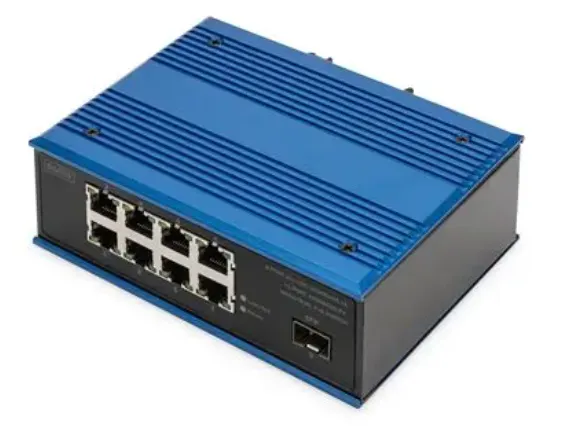
Switches are the backbone of any local network, quietly directing traffic between devices so everything runs smoothly. If you’ve ever looked at the back of a switch, you may have noticed that some ports are labeled differently—particularly the “uplink” port. While the distinction can seem confusing at first, understanding how uplink and normal ports work can help you design and expand networks more effectively.
This guide breaks down both port types, explains how they function, and highlights when each one should be used.
What Does a Network Switch Do?
A switch connects multiple devices—such as computers, printers, and access points—within a LAN. By using MAC addresses, it forwards data only to the intended destination, reducing unnecessary traffic and boosting overall efficiency.
Most switches include a series of Ethernet ports, with some designated as uplink ports and the rest serving as standard device ports.
What Is a Normal Port?
A normal port (sometimes just called a regular Ethernet port) is the standard connection used for everyday devices. These ports are designed for equipment such as:
- Desktop computers
- Printers
- IP cameras
- Smart televisions
- Wireless access points
When you connect a device to a normal port, the switch integrates it into the network and directs traffic based on where the data needs to go.
What Is an Uplink Port?
An uplink port is designed specifically for connecting one switch to another switch, router, or network hub. It acts as the pathway for expanding your network or linking different layers of your infrastructure.
Common uses include:
- Adding more ports by connecting multiple switches
- Linking a switch to a router for internet access
- Creating larger network segments across floors or rooms
Auto MDI/MDI-X and Why It Matters
Historically, connecting two switches required a crossover cable because transmit and receive pins needed to be aligned. Uplink ports were built with an internal pin reversal to simplify that process.
Modern switches, however, often include Auto MDI/MDI-X, which automatically adjusts pin configurations. This means:
- You can plug a straight-through cable between two normal ports
- Dedicated uplink ports are no longer always necessary
- Mistakes in port selection rarely cause connection failure
Even with auto-sensing, knowing the purpose of uplink ports is still useful, particularly when working with older devices or more complex networks.
Practical Scenarios
Connecting a Home Network
Most home users only need normal ports. Many consumer switches don’t label uplink ports at all because modern auto-sensing handles the negotiation behind the scenes.
Adding a Second Switch
To expand your port count:
- Use the uplink port on one switch and plug it into a normal port on the other
- Or use normal ports on both switches if they support Auto MDI/MDI-X
Connecting a Router
To provide internet access for the network:
- Link the switch’s uplink port to the router’s LAN port
- If no uplink port exists, any auto-sensing port will work
Uplink Ports in Managed vs. Unmanaged Switches
Unmanaged switches are straightforward, and uplink ports—if present—are simply convenience ports with reversed pinouts.
Managed switches, on the other hand, may include specialized uplink interfaces that offer:
- Higher-speed connections (such as SFP or 10GbE ports)
- Features like VLANs, link aggregation, and QoS
- Backbone connectivity between network layers
In managed networks, uplink ports often play a far more strategic role.
What Happens If You Use the Wrong Port?
On newer switches, using a normal port instead of an uplink port rarely causes issues. Auto MDI/MDI-X adjusts automatically. But on older equipment, misusing ports can result in:
- No connection when linking two normal ports without a crossover cable
- Problems when linking two uplink ports together
When in doubt, checking device labels or documentation helps avoid unexpected issues.
Are Uplink Ports Still Necessary?
Thanks to widespread support for auto-sensing ports, dedicated uplink ports are less common than they once were. Many switches now treat all ports equally. Still, uplink ports remain valuable for:
- Legacy hardware
- High-performance backbones
- Structured, multi-layer network designs
- Environments requiring dedicated high-speed uplink interfaces
Final Thoughts
Understanding the difference between uplink and normal ports makes it easier to plan network layouts, link devices correctly, and avoid connectivity headaches. Although modern switches simplify many of these tasks, uplink ports still play an important role in structured and multi-switch networks.
Whether you’re building a simple home setup or managing a larger enterprise network, knowing when and how to use uplink ports helps ensure reliable performance and smooth expansion.
