



In today’s world of constant connectivity, choosing the right type of network is a key decision for homes, offices, and enterprises alike. Whether you’re setting up an office infrastructure or improving your home internet, the choice between wired and wireless networks will influence your system’s speed, security, and overall performance. Each has its strengths and limitations, and the right fit depends on how and where you plan to use it.
What Is a Wired Network?
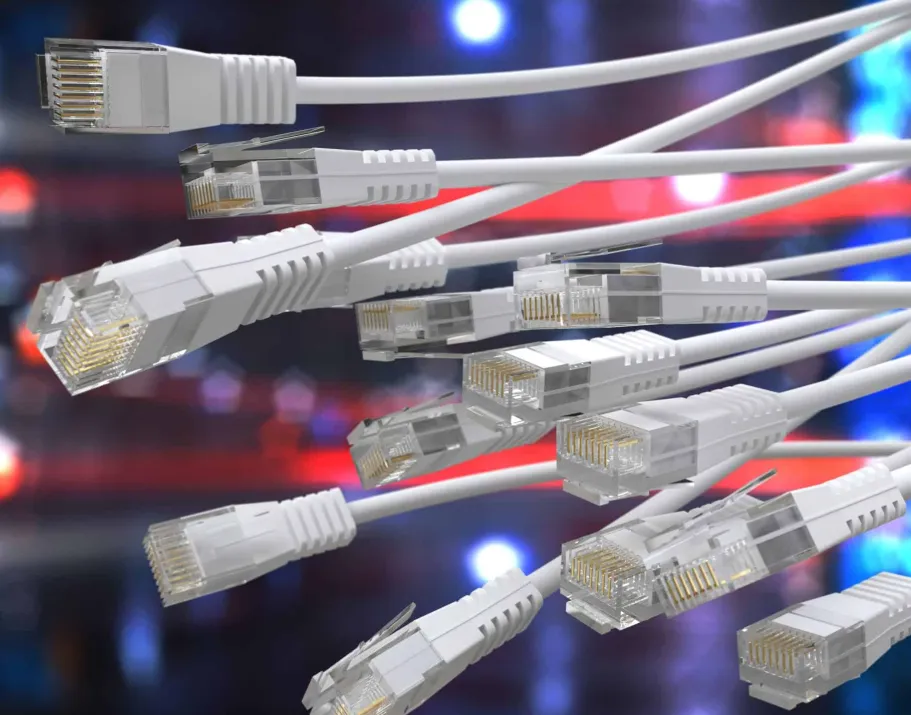
A wired network connects devices through physical cables, such as Ethernet, to a router or switch. This setup provides a direct, stable connection that’s typically faster and less prone to interference than wireless systems.
Main Components:
- Ethernet cables (Cat5e, Cat6, or Cat7)
- Network switches and routers
- Network interface cards (NICs) in each connected device
What Is a Wireless Network?
A wireless network uses radio signals to connect devices to the internet without cables. Wi-Fi is the most common form, allowing multiple devices to connect through a router that broadcasts a signal throughout a given area.
Main Components:
- Wireless routers or access points
- Devices with built-in wireless adapters (smartphones, laptops, tablets, etc.)
Advantages of Wired Networks
1. Faster and More Stable Performance
Wired connections generally deliver higher and more consistent speeds. They are ideal for applications that require stable, high-bandwidth performance such as video editing, online gaming, and data-heavy transfers.
2. Strong Security
Physical cabling means only those with direct access to the network can connect, making wired systems inherently more secure against hacking and interference.
3. Low Latency
Because signals travel directly through cables, there’s minimal delay. This makes wired networks perfect for activities like live streaming and remote collaboration.
4. High Reliability
Wired systems are not affected by interference from nearby devices or walls, ensuring uninterrupted performance.
Disadvantages of Wired Networks
1. Limited Flexibility
Once connected, devices are confined to specific locations. Rearranging a wired setup can require disconnecting and rerouting cables.
2. Installation Costs and Effort
Running cables through walls, ceilings, or large spaces can be time-consuming and may require professional installation.
3. Cable Clutter
Without proper management, wired setups can become visually messy and harder to maintain.
Advantages of Wireless Networks
1. Greater Mobility
Wireless connections allow users to move freely while staying online—a must for portable devices like phones, tablets, and laptops.
2. Easier Installation
Wireless setups are simple and quick. Once the router is configured, devices can connect instantly without the need for physical wiring.
3. Scalable and Convenient
Adding new devices is as easy as entering the network password. No extra cabling is required, making it ideal for growing environments.
4. Cleaner Aesthetic
Wireless systems eliminate visible cables, providing a neater, more modern look for homes and offices.
Disadvantages of Wireless Networks
1. Inconsistent Speed
Signal strength can fluctuate due to interference, obstacles like walls, or distance from the router. This often leads to slower speeds compared to wired connections.
2. Security Risks
Wireless networks are more vulnerable to cyberattacks if not properly protected. Strong passwords and modern encryption protocols (like WPA3) are essential.
3. Limited Range
Wi-Fi signals weaken as distance increases, especially in large buildings or multi-story environments.
4. Interference Issues
Microwaves, cordless phones, and other Wi-Fi networks can disrupt wireless signals, impacting performance.
Key Factors to Consider
Purpose of Use
- For high-performance needs such as gaming or real-time data processing, a wired network is ideal.
- For general browsing, streaming, or mobile connectivity, wireless is often sufficient.
Physical Environment
If you’re in a large home or office with thick walls, you may need a hybrid setup using both wired connections and mesh Wi-Fi for optimal coverage.
Budget
Wireless setups are cheaper to install initially, but wired systems can be more cost-effective long-term, particularly in environments requiring consistent, high-speed connections.
Number of Devices
Wired networks handle heavy traffic better. If many devices are connecting simultaneously, wired connections will reduce congestion and maintain performance.
Maintenance
Wireless systems are easier to upgrade with firmware updates, while wired networks may require physical changes to improve capacity.
Combining the Two: The Hybrid Network Approach
For many users, a hybrid network—which combines wired and wireless connections—offers the best of both worlds. For example:
- Use wired links for desktops, gaming consoles, and smart TVs.
- Use wireless access for laptops, tablets, and mobile devices.
Modern routers support both connection types, ensuring flexibility and reliability without compromise.
Looking Ahead: The Future of Networking
Emerging technologies like Wi-Fi 6 and Wi-Fi 7 are bridging the performance gap between wireless and wired systems, offering faster speeds and better efficiency. Meanwhile, advances in fiber optic Ethernet are keeping wired networks ahead for mission-critical operations. The future likely lies in integrated systems that leverage both technologies to provide seamless, adaptive connectivity.
Conclusion
Choosing between a wired and wireless network depends on your unique needs, environment, and priorities.
- Choose wired if you need maximum speed, stability, and security.
- Choose wireless if flexibility, convenience, and ease of setup are top priorities.
- Choose hybrid if you want the reliability of wired connections with the freedom of wireless mobility.
By weighing these factors carefully, you can create a network that’s not only fast and secure but also tailored to your lifestyle or business demands.
